Gather the records that explain the delivery
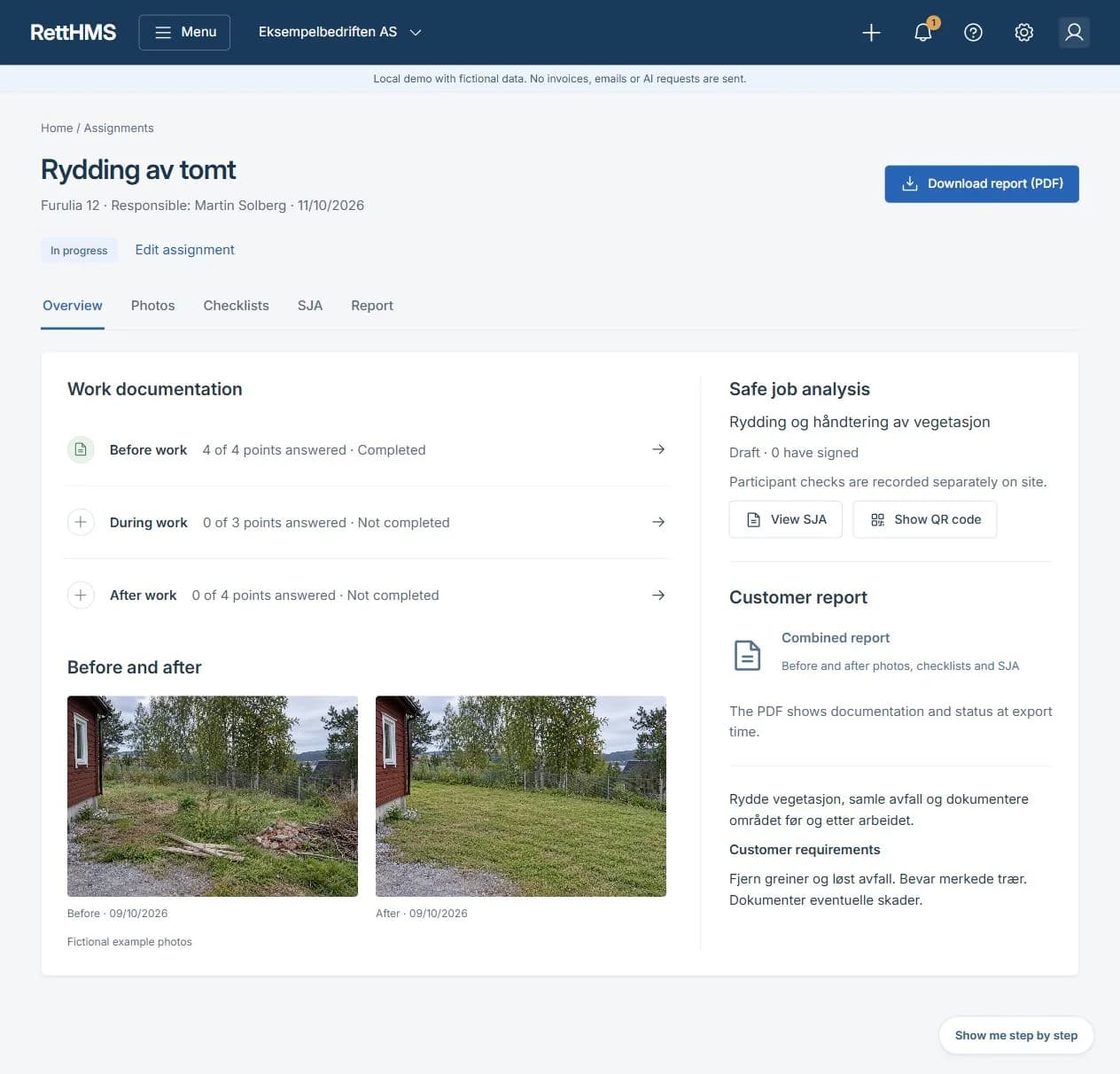
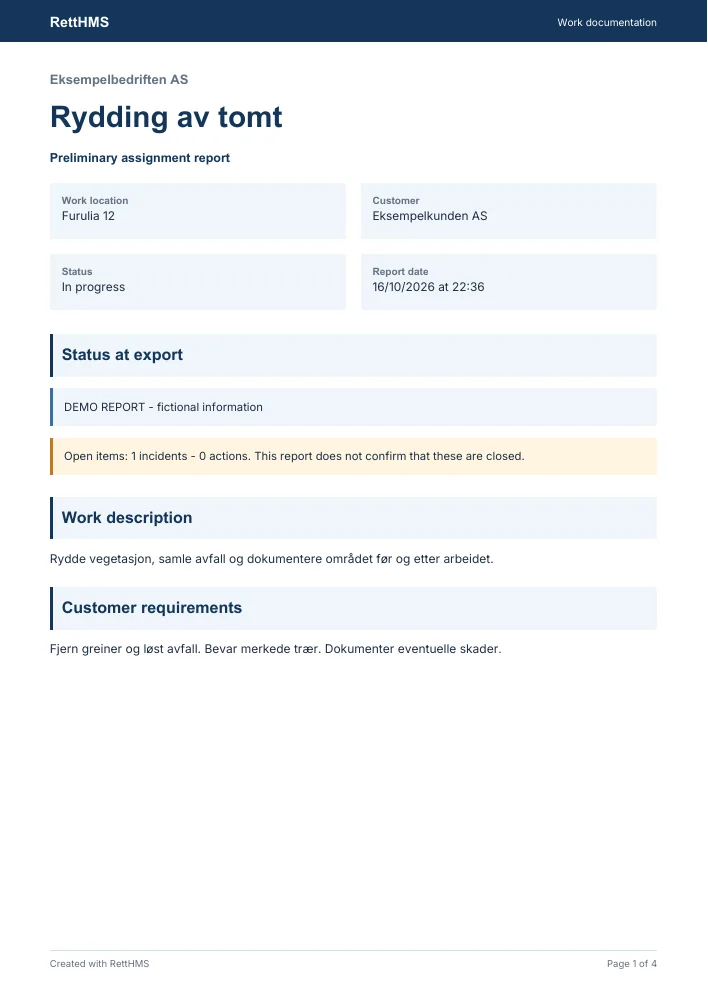
Select relevant check responses, measurements, before/after photos, findings and corrections from the assignment. The report identifies the assignment, issuer, date, version and status.
Fictional example: After a service job, the customer wants to understand the initial condition, work performed, checks completed and outstanding items. The report does not need your company's entire internal case history to explain this.
Keep internal information out
The customer report uses a separate selection of customer-facing content. Internal comments, restricted cases, participant lists, signature images and private contact details are not included automatically.
Relevant SJA content and status can be shown without attaching the full internal SJA report. Ordinary access to the workspace does not mean every record should be sent to the customer.
Resolve status and file checks before completion
Completing the report requires mandatory check points to be resolved and selected files to have been received and verified. Files awaiting checks remain private and cannot be included as approved files in a completed report.
Outstanding items must remain visible. A preliminary report must be clearly labelled and must not look like a completed final inspection. Records added after completion create a new report version; previous versions do not change silently.
Download the report and send it yourself
When the report is ready, review the preview and download the PDF. Your company chooses how to send the file onwards.
Report support does not provide automatic delivery, a customer link or digital customer acceptance. Report status is also separate from assignment and SJA status.